
For academy owners
Spend your time on chess, not admin.
You started an academy to teach. This handles everything around the teaching: fees, attendance, reports and parent questions. Families see an academy that runs properly, and you always know what is coming in.
The transformation
Before and after.
Before
- Excel sheets for students, batches and fees
- Progress updates scattered across WhatsApp
- Remembering and sending fee reminders yourself
- Guessing this month’s income
- Writing every progress report by hand
- Ratings checked site by site, if at all
- “How is my child doing?” calls and messages
With
- One platform with every student, family and batch
- A family app parents actually open
- Automatic reminders before and after each due date
- Income and enrollment charts that update themselves
- Monthly reports that assemble themselves
- Chess.com and Lichess stats synced into each profile
- Families see progress, tasks and feedback any time
Academy dashboard
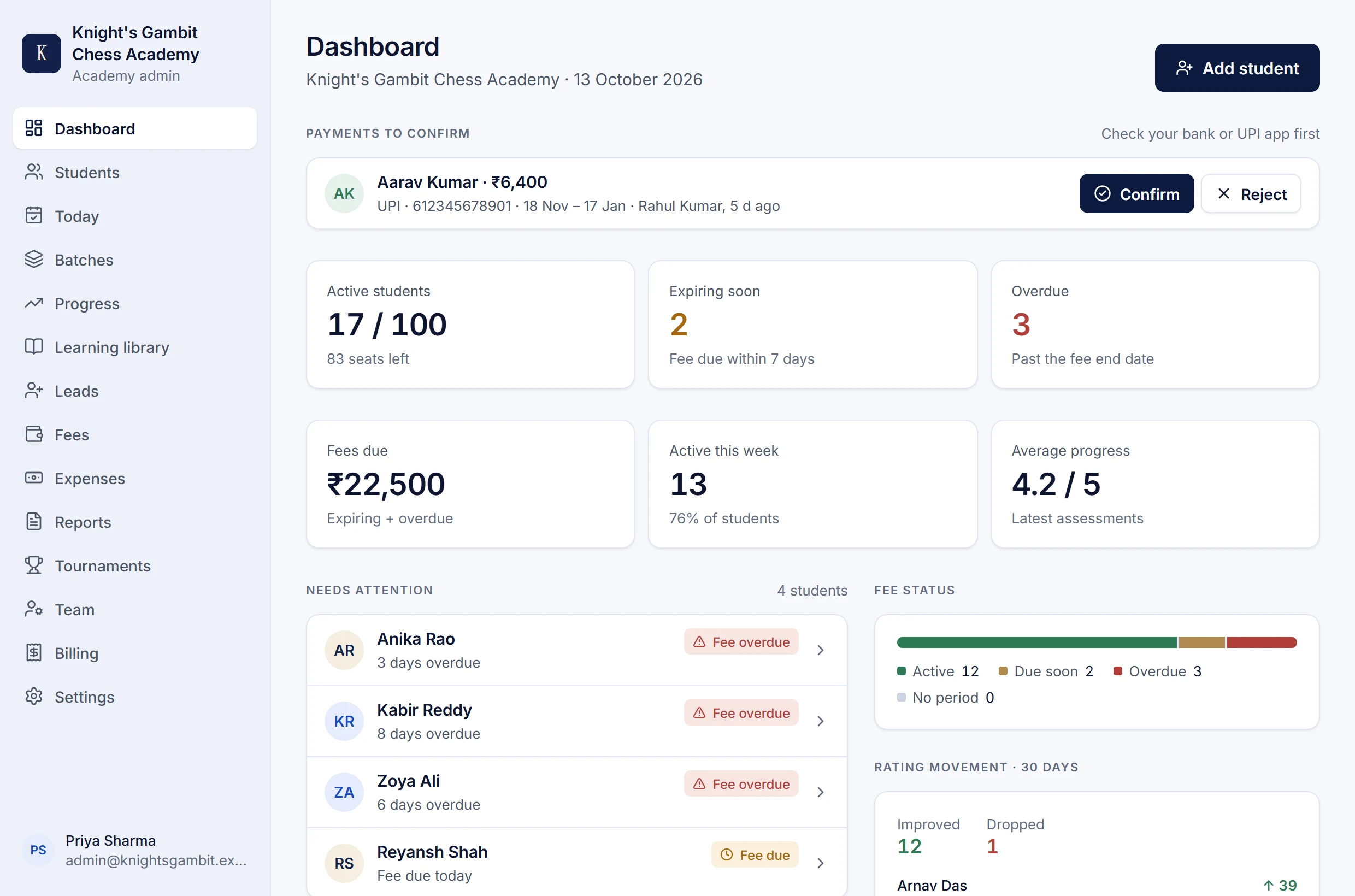
See who needs you before they message you.
Seats, income, fees due and a short list of students to look at: overdue fees, three absences in a row, a long quiet spell.
Getting started
Up and running in an afternoon.
- 1
Sign up
Tell us your academy’s name and size, confirm your email and choose a password. Your workspace opens straight away.
- 2
Bring your students
Import your sheet or add students one by one: name, batch, level, fee and chess usernames. One family account covers brothers and sisters.
- 3
Invite the families
Parents get an email, set a password and land in your academy. No searching for it in a list.
- 4
Let it run
Ratings sync, reminders go out, attendance builds up, and each month’s reports assemble themselves.
Get your evenings back.
Start free with up to 5 students for 40 days, or try a full-size academy for 10 days. Every feature is included, and nothing is charged automatically.