







A world-class academy, in your students’ hands
You teach chess.We’ll handle every other move.
Students, fees, attendance, leads and progress in one private place. Reminders go out on their own, no enquiry slips through, and every parent sees their child improve in a practice portal made for your academy.
- Private to your academy
- Track every move
- Track your leads
- Your own student portal
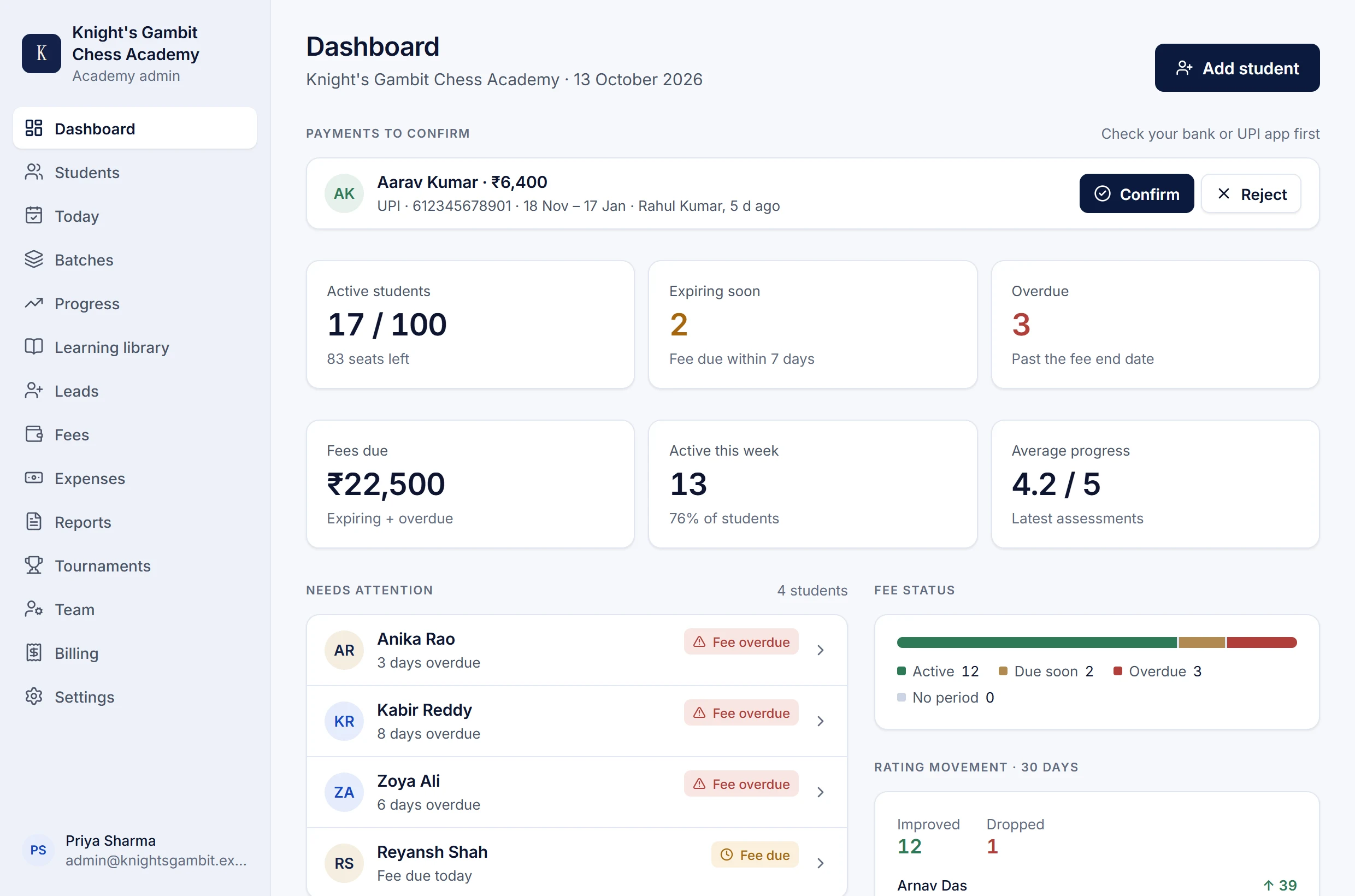
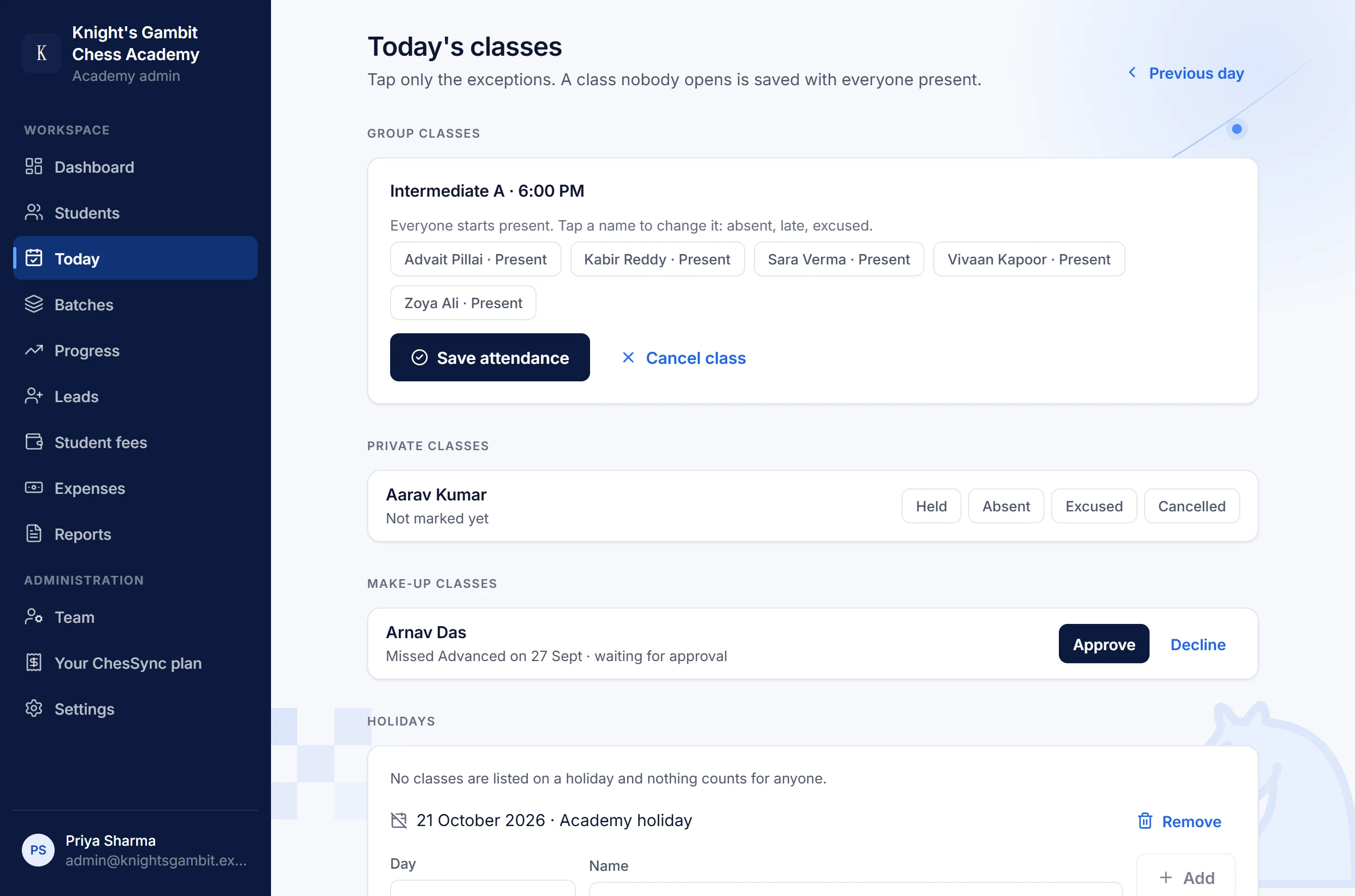
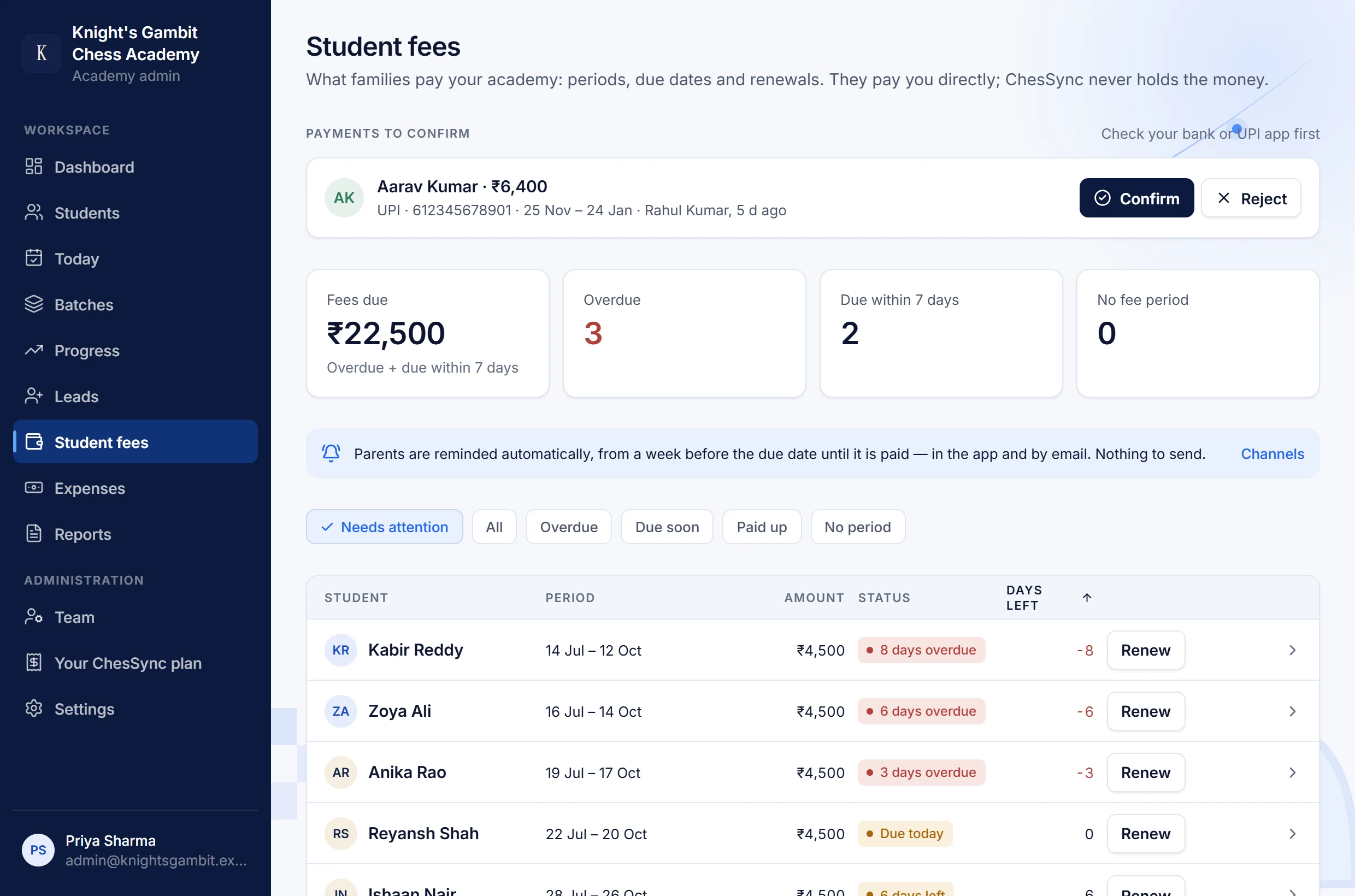
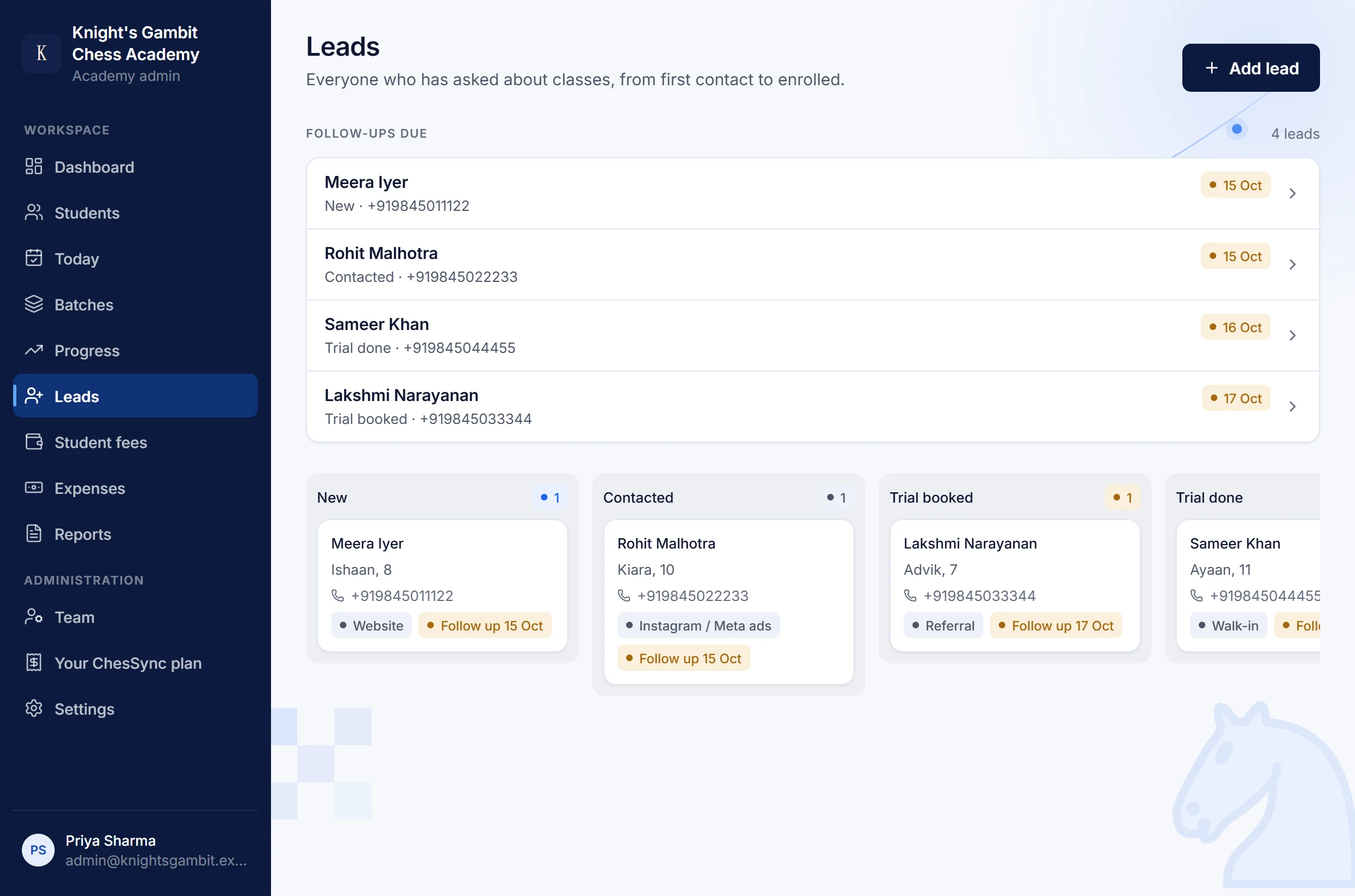
Real screens from a demo academy. Names and numbers are made up.
Works with the tools you already use
 Chess.com
 Lichess
- Stockfish
- Google sign-in
 Google Calendar
 Apple Calendar
 Outlook
- UPI
- Stripe
- PayPal
- Razorpay
 Zoom links
 Google Meet links
 WhatsApp button
 Google Sheets
 Excel
Sound familiar?
We’ve heard it before.
Every chess academy hits the same walls. Here’s what coaches and owners tell us before they find ChesSync. What’s yours?
All in one
Ten apps and a notebook. Or one ChesSync.
Sheets for students, WhatsApp for reminders, Zoom for classes, Chess.com for ratings… Bring it all into one calm place, and give every student a premium chess experience.
14699+ 12
 1634???!
One platform
Every job your academy does, in one place.
From the first enquiry to the monthly report, for academies that teach in a hall, online, or both.
Every student gets a practice portal under your academy’s name: daily puzzles, weekly and monthly targets from the coach, tournaments and a chess library. Add a student once and their portal is ready.
See how it worksKnight’s Gambit Academy
Aarav’s practice
No second system
Add a student once.
The rest happens on its own.
- Step 1Added to your student list
- Step 2Their portal opens, under your academy’s name
- Step 3The family gets an invite to sign in
Your back office
Meet your new admin team.
Six helpers that work in the background every day, so you can spend your evenings on chess instead of chasing.

The Reminder
Sends fee reminders by WhatsApp, email and the app: two days before, on the day, then after. Stops the moment a parent pays.
Works: every morning

The Fee calculator
Works out every renewal for you: one month or three, a class pack or monthly, and the right amount. You just confirm.
Works: whenever a fee renews

The Receipt clerk
Numbers a receipt and sends it to the family the moment you confirm a payment. No more handwritten receipts.
Works: on every payment

The Register
Keeps attendance, make-up classes and class packs in order, so you always know who is owed a class.
Works: after every class

The Report writer
Puts each child’s ratings, skills, homework and attendance into a monthly report, and tells you who opened it.
Works: once a month

The Bookkeeper
Adds up fees and expenses and emails you what the academy actually earned.
Works: on the 1st of the month
Leaderboard
Turn practice into a game.
Every student plays in a league that matches their chess rating, earns points for puzzles, games and days of practice, and races their peers for the top of the board.
 Pawnrating 0+
 Knightrating 400+
 Bishoprating 700+
 Rookrating 1000+
 Queenrating 1300+
 Kingrating 1600+
Beyond the King
Four secret leagues. Reach them to reveal.
 Secretrating 1900+
 Secretrating 2200+
 Secretrating 2500+
 Secretrating 2800+
A weekly ChesSync Cup on Lichess for every league, a podium for the week and the month, and the choice of an academy-only board or a global one.
Who it’s for
Built for every kind of chess academy.
In a hall, online or both; just starting or ten years in. One place for all of it, and nothing that isn’t about chess.
New academies
Book a short demo, get a free trial, and be set up in an afternoon.
Book a demoEstablished academies
Bring your whole sheet in one go. Families are only invited when you are ready.
See the featuresClasses in a hall
Mark attendance on your phone between moves. Parents pay by UPI or cash, and you confirm it.
For academy ownersOnline classes
Families anywhere see their child’s progress, and Chess.com and Lichess ratings sync on their own.
Chess integrationsPrivate coaches
Class packs that count down, private classes, and you pay only for the students you teach.
See pricingGrowing teams
Logins for front desk and coaches, each seeing only what you switch on for them.
See the featuresYour move
Can you find the checkmate?
White to play and mate in one. Tap a piece, then its square. Every student gets a fresh puzzle like this each morning at their level, and solving it keeps their streak alive.
- Puzzles picked for each child’s level
- Streaks that reward daily practice
- Coaches see who solved what
- Weekly and monthly targets set by the coach
- Tournaments and a chess library in the same portal
White to move · Mate in 1
Pricing
A free trial after your demo. Grow when you’re ready.
Every feature on every plan. You pay only for active students, and every paid plan starts with free days.
Pay by the student.
Up to 50 students
₹1,600/ month
Billed yearly as ₹19,200. GST added at checkout.
- A free trial after your demo
- Every feature included
- Email and in-app reminders included
- Families, staff and coaches are free
Student portal included. No extra cost.
Trust and security
Children’s data is handled carefully.
Many academies share one platform, so the walls between them are enforced where it counts: in the database.
Each academy walled off
The database itself hides every other academy’s students, families, fees and files. A bug in our code can’t open that door.
Protected sign-in
Hashed passwords, per-role permissions and a lockout after repeated failed attempts.
Families see their own children
A family login reaches its own children and nothing else: not other families, not academy settings.
Backups
A managed cloud database with point-in-time restore, plus a nightly backup kept for 30 days.
Real deletion
Delete a student and their profile, progress, activity and chess connections leave the live system straight away.
Your money stays yours
Families pay your UPI ID or payment link directly. We never collect or hold your fees.
FAQ
Questions academies ask us.
Something else? Write to us at chessync.in@gmail.com. We reply to every message.
Is there really a free plan?
Yes. Up to 5 active students with every feature for 40 days. Every paid plan also starts with 10 free days. After that you pay per active student, and no feature ever costs extra.
Is ChesSync the same as ChatSync?
No. ChesSync is spelled C-h-e-s-S-y-n-c, from “chess”: it is software for chess academies (students, fees, attendance, classes and progress, with a family app). It is not connected to products with similar-sounding names such as ChatSync, which is a different kind of tool.
What happens when our trial or plan ends?
You get reminders in the app and by email beforehand. If the date passes without payment, your academy is paused: you can still see everything, but nothing can be changed or downloaded until you pay. Paying opens it again straight away.
What counts as an active student?
Each student on your roster who is not archived. Admins, staff, coaches, family accounts, batches, learning materials and reports are free and unlimited.
Do you send WhatsApp reminders?
Fee reminders go out by email and in the app on every plan, and each unpaid fee has a “Send on WhatsApp” button that opens your own WhatsApp with the reminder and pay link already written. Automatic WhatsApp sending is not part of the plans yet.
Do coaches and front-desk staff need accounts?
They can have them, at no cost. You switch each person’s access on or off. A coach sees only their own batches and never a parent’s phone number or a fee unless you allow it.
Can we use our own logo?
Yes, on every academy, the Free plan included. Your logo appears in the family app, on receipts and on certificates.
Do you collect fees on our behalf?
No. Parents pay your own UPI ID or payment link. They then tap “I’ve paid” and you confirm it, so the money never passes through us.
Can we teach online on Zoom or Google Meet?
Yes. Add your meeting link to a batch once. Families get a Join button in their portal as class starts and can add every class to their phone calendar. If two batches use one room at the same time, you get a warning.
Can families and staff sign in with Google?
Yes. Anyone whose email is on your academy can choose “Continue with Google” instead of a password, and new academies can sign up with Google too.
We teach some students in person only. Can they be on it?
Yes. A student does not need a Chess.com or Lichess account, and a family does not need to use the app. You can still track attendance, fees and progress for them.
Which chess sites do you support?
Chess.com and Lichess. We need only each student’s public username, never their password.
Is our academy’s data private?
Yes. The database hides each academy’s data from every other academy, and a family sees only its own children.
What happens to a student’s data when they leave?
You can archive a student: their history is kept and their seat is freed. If you delete them, their profile, progress, activity, chess connections and fee records are permanently removed from the live system.
Get your evenings back.
Book a short demo and we’ll set up your free trial. Every feature is included, and nothing is charged automatically.