







Student portal
Your academy’s own practice portal.
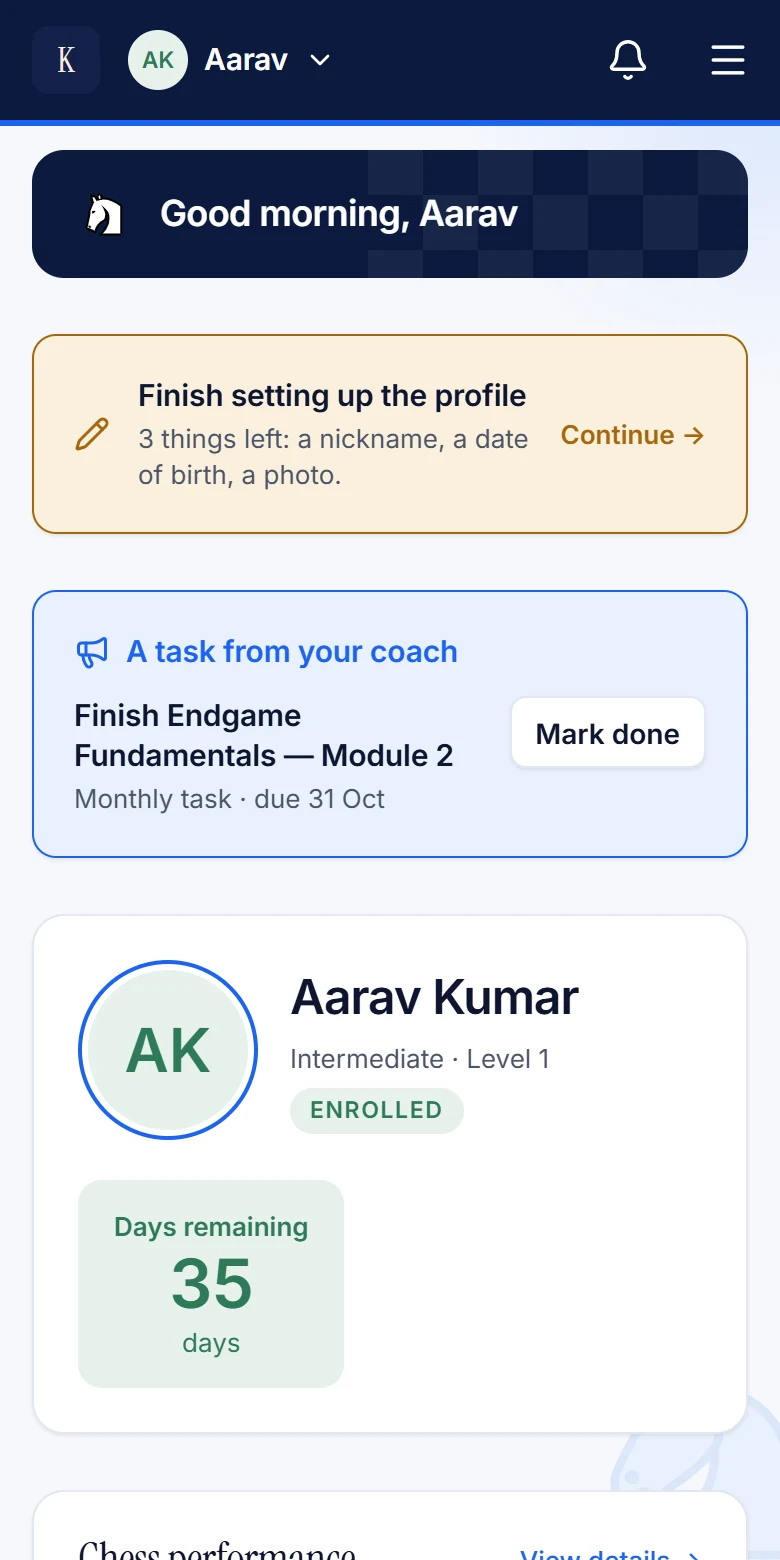
Every student gets a portal under your academy’s name: a daily puzzle, targets from the coach, progress parents can see, class links, tournaments, a library and fees. Add a student once and it’s ready.
Included on every plan. No extra cost.
What students and parents see
Everything about their chess, in one place.
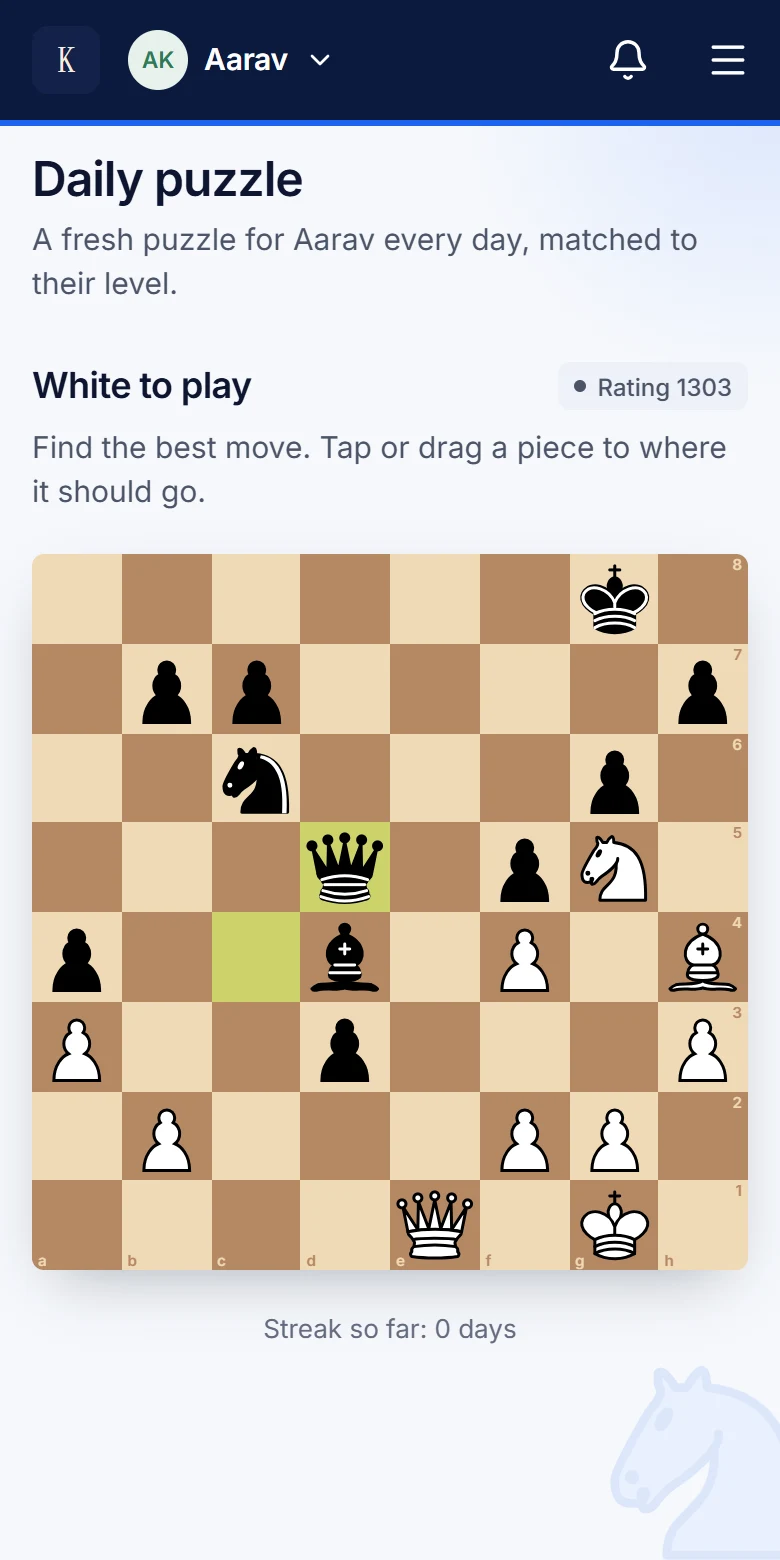
A daily puzzle
A fresh puzzle every day at the child’s level, on a Lichess-style board they can tap or drag.
Targets from the coach
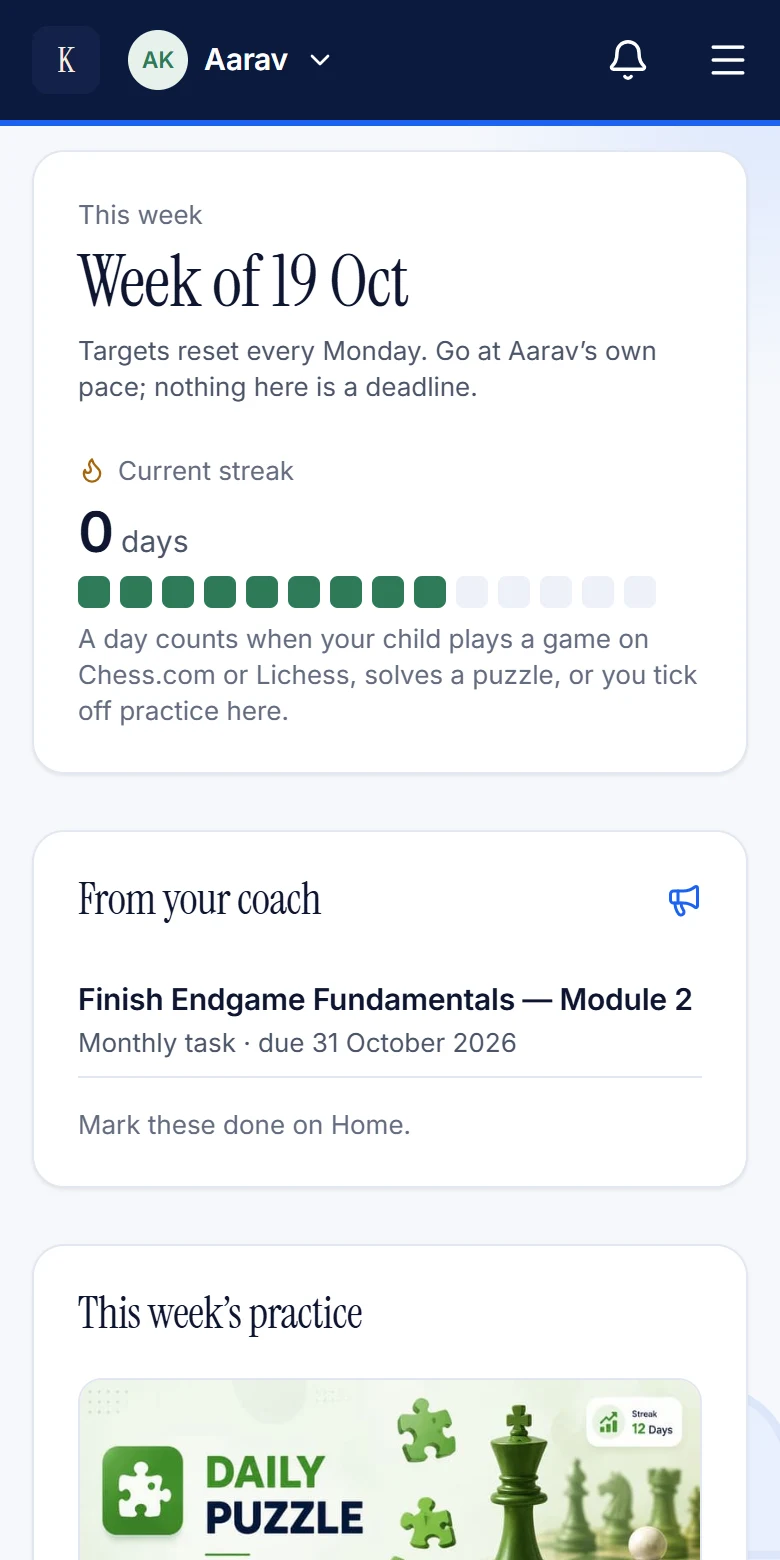
Weekly and monthly practice targets you set for your academy, with progress rings that fill as they practise.
A streak that counts learning
Puzzles, lessons and Lichess puzzle activity keep the streak going. Logging in alone does not.
Progress and attendance
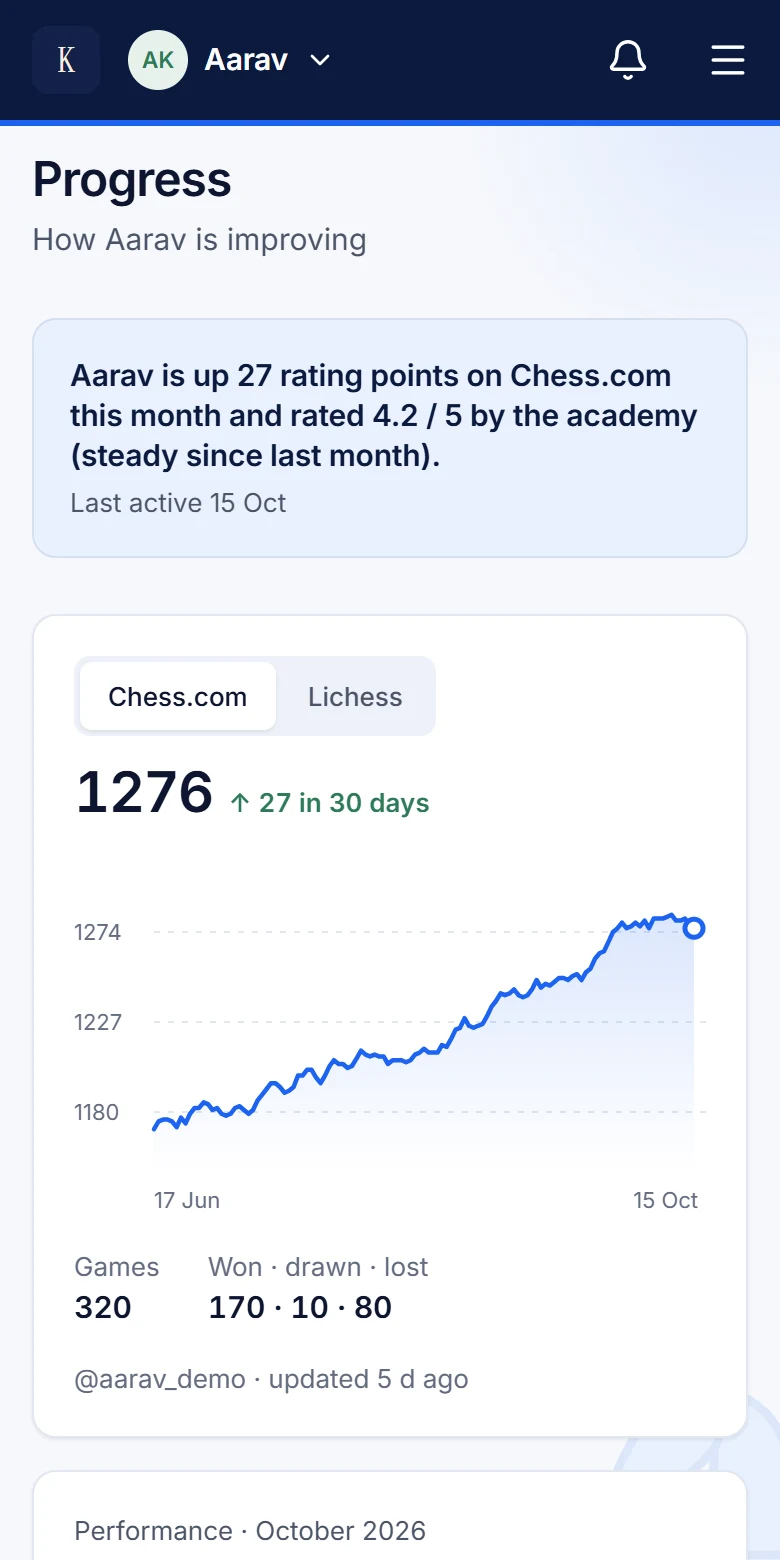
Chess.com and Lichess ratings, your monthly assessment, attendance as a percentage and the monthly report.
Join online classes
When a class is on Zoom or Google Meet, a Join button appears on Home as the class starts.
Tournaments
Official calendars from FIDE, the All India Chess Federation and other federations, one tap away.
A chess library
Lessons, games and classic books chosen by the ChesSync team, sorted by level. Nothing for you to upload.
Fees and receipts
What is due and when, a Pay now button to your own UPI ID or link, and every receipt in one place.
Under your academy’s name
It looks like your academy built it.
Your name and logo
The portal opens with your academy’s name, logo and colour. Families see your academy, not ours.
Only your academy
A family sees its own children and your academy. Nothing from any other academy, ever.
Easy to sign in
Families sign in with their email, or with Google in one tap. Brothers and sisters share one login.
Day and night
A calm night mode for evening practice, and it works on any phone, tablet or computer.
No app store needed
Put it on the home screen in two taps.
The portal opens in the phone’s browser at app.chessync.in. Families can add it to the home screen, and it opens full screen with the ChesSync icon, like any other app.
On an iPhone
- 1Open app.chessync.in in Safari.
- 2Tap the Share button.
- 3Choose “Add to Home Screen”, then Add.
On an Android phone
- 1Open app.chessync.in in Chrome.
- 2Tap the three dots at the top right.
- 3Choose “Install app” (or “Add to Home screen”).
Academies sign in at the same address.
FAQ
Questions about the student portal.
Something else? Write to us at chessync.in@gmail.com. We reply to every message.
Does the student portal cost extra?
No. It is included on every plan, including the Free plan. You pay only for active students.
Do I have to set up anything?
No. Add a student to your list (or import your sheet) and their portal is ready. The family gets an email invitation to sign in.
Do families need to install an app?
No. The portal opens in the phone’s browser, and families can add it to their home screen so it opens like an app.
Can families see other academies or other children?
Never. Each family sees only its own children, and only your academy.
Do families need a Chess.com or Lichess account?
No. If the child has one, the family can add the public username and the ratings appear on their own. Everything else works without it.
Can I choose what families see?
Yes. For example, you can switch off attendance for families completely, and you set the weekly and monthly practice targets.
Get your evenings back.
Book a short demo and we’ll set up your free trial. Every feature is included, and nothing is charged automatically.